

AUDIT, COMPLIANCE & DATA INTELLIGENCE

What Changed, Who Changed It, and Whether It Matters
Most identity attacks don’t start with malware. They start with a change nobody noticed.
ACDI gives security teams, IAM administrators and auditors full visibility across OpenText Identity Manager, Access Manager and Active Directory so investigating what happened stops being a scramble for evidence, and compliance stops being mission impossible.
Security Through Visibility

ACDI is the light-switch for your IDM environment.
Turn the lights on, and see and know what is going on!

Compliance, Always On
Meet NIS2, DORA and ISO 27001 requirements with continuous evidence, not a last-minute scramble before the next audit.

Nothing Stays Hidden
Know what your identity data looks like right now and what changed to get there, so internal reviews and external investigations start with facts, not guesswork.

One Source, Every Audience
Generate the reports your auditors need and the risk signals your security team needs, from the same data, in real time.
Evidence, Forensics and Observability

Get a 360° view of your identity environment, right now and eons back.
Real-time forensic analysis of every change, not just the ones you knew to look for.

Go Back In Time
Reconstruct identity events with Time Machine: compare object states across timestamps and see exactly what changed, when, and who made it happen.

See It Before You Are Asked About It
Automated, scheduled reporting keeps your dashboards current without manual pulls, so when someone asks what happened, the answer is already there.

Built To Grow With You
From a single OpenText environment to a hybrid mix that includes Active Directory, ACDI scales to match..
Built for Enterprise Identity Ecosystems
One tool,
one view across every directory you run.

Every Blade, One Knife
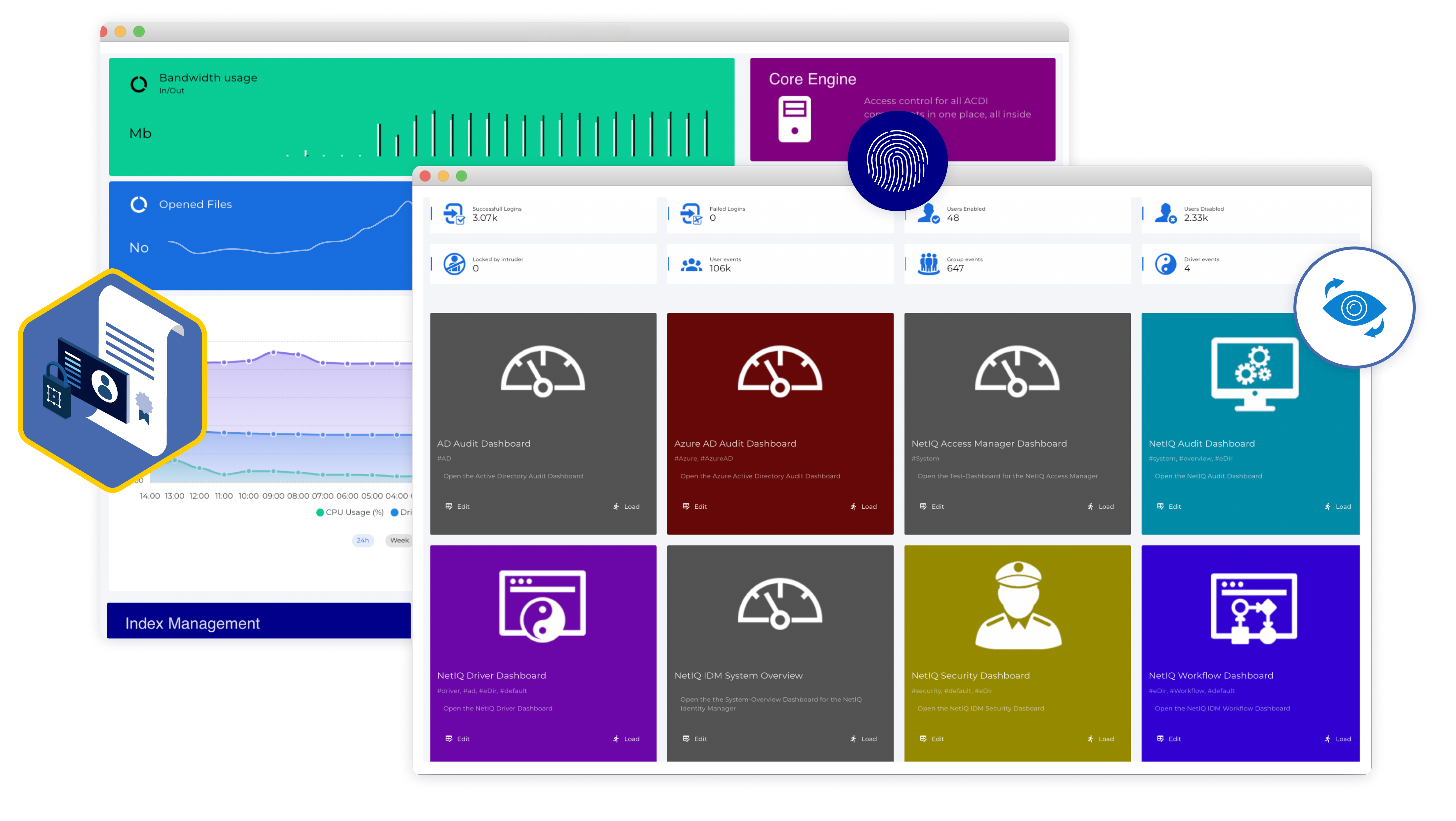
Real-Time Dashboards
Five purpose-built dashboards turn raw identity data into answers your security, compliance and operations teams can act on immediately.
- The audit dashboard shows all events in the directory
- The security dashboard shows live information about possible security gaps and attacks
- The driver dashboard shows which information was successfully transferred to the connected system through the driver channels
- The workflow dashboard shows all ongoing and completed workflows
- The compliance dashboard compares the data status of objects
Reporting
- Generate the evidence auditors and regulators ask for, without the manual work.
- Create individual audit reports over time periods and data selections
Export and mail reports in PDF, CSV or XLSX format
Identity Forensics with Time Machine
- Reconstruct any identity event after the fact.
Time Machine turns historical identity data into an investigation tool, not just an archive. - Delta Analysis compares individual objects at different points in time, surfacing changes and processes that would otherwise stay hidden
- Restore individual or multiple objects to a previous state in one action, critical when something breaks or needs to be undone
Save Your Day with ACDI

Pricing

ACDI Flyer

Sizing and System Guide

ACDI Playground

Info-Map

SKyPRO Academy
Whether you’re working with Open Text NetIQ IDM or use Microsoft Active Directory, this is a must-have tool. With ACDI, you constantly know what your data looks like and what your IDM system is doing, and can pull reports on all the data you and your requestors need.
FAQ
How does ACDI collect event data in IDM?
To collect data on object changes, a driver/connector developed by SKyPRO is used, which collects events about object changes from IDM according to the filter specified in the driver, processes them, and sends them to ACDI.
Can I collect event processing data from my existing IDM drivers?
Yes, this is made possible using a special ACDI Monitor package which must be added to existing drivers.
Is it possible to authenticate in ACDI using an LDAP account?
Yes, this option is available.
How does ACDI collect event data in Active Directory? Is it necessary for IDM to participate in this process?
The collection is carried out using a special service that is a part of ACDI without the participation of IDM.
What access rights does the account used to connect to eDirectory or/and Active Directory need?
The user used to connect Active Directory must have Replication Admin rights.
Is connecting more than one eDirectory and Active Directory possible?
Yes, this is possible.
